If you are new to web hosting, you have probably heard of control panels like cPanel, Plesk, or Hepsia. The challenge, understanding the differences, can feel overwhelming.
The Hepsia Control Panel was built specifically to make it easier for – newbie and profesiional alike – to have all the essential, and more, tools needed to host and manage a website without feeling overwhelmed.
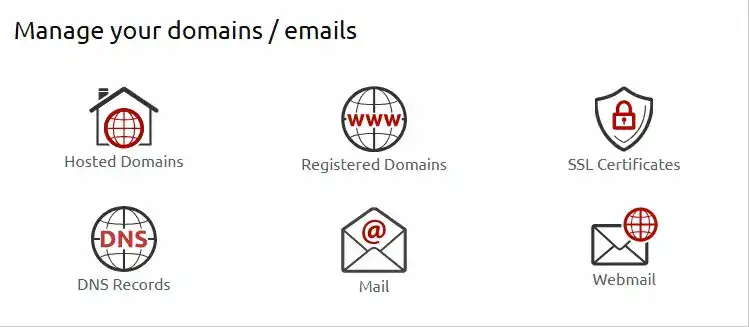
How? Hepsia control panel gives people new to web hosting or creating a website a clean, unified dashboard where everything — domains, email, files, DNS, and billing — lives in one place.
This series explains what Hepsia is, how it works, and why many users prefer it over cPanel, especially if they want a simple, modern hosting experience.
What Is the Hepsia Control Panel? (Simple Definition)
The Hepsia Control Panel is an all‑in‑one hosting dashboard that lets you manage:
- Domains and DNS
- Email accounts
- Files and databases
- Website tools
- Backups
- Billing and account settings
Unlike cPanel, which splits billing and hosting tools into separate systems, Hepsia combines everything into one login and one interface.
For people new to web hosting, this dramatically reduces confusion and makes hosting feel more intuitive.
Why Hepsia’s All‑in‑One Design Matters
Most hosting companies using cPanel rely on two separate systems:
- A billing portal (WHMCS or a custom dashboard)
- The cPanel interface for technical controls
This creates fragmentation — two logins, two interfaces, two learning curves.
Hepsia eliminates that fragmentation.
With Hepsia, you get:
- One login
- One dashboard
- One consistent design
- One learning curve
- One place to manage everything
This is a major advantage for beginners, small business owners, and anyone who wants a clean, predictable hosting experience.
Hepsia vs cPanel: Which Is Better for Beginners?
Here is a simple comparison to help you understand the difference between cPanel and Hepsia:
Task | cPanel Experience | Hepsia Experience |
Update billing info | Separate billing portal | Same dashboard |
Manage domains | Inside cPanel | Same dashboard |
Create email accounts | Inside cPanel | Same dashboard |
Access files | Inside cPanel | Same dashboard |
Change DNS | Inside cPanel | Same dashboard |
View support tickets | Separate portal | Same dashboard |
What is Hepsia Control Panel Summary and Key Takeaway
Hepsia is simpler because everything is unified.
cPanel is functional but split across multiple systems.
Who Should Use the Hepsia Control Panel?
Hepsia is ideal for:
- First‑time website owners
- Small businesses
- Non‑technical users
- People who want fewer logins and less clutter
- Anyone who prefers a modern, clean interface
In short, cPanel feels overwhelming, Hepsia feels refreshing.
Conclusion: The Hepsia Control Panel is one of the most beginner‑friendly hosting dashboards available today. Its all‑in‑one design removes the confusion that many new website owners experience with cPanel. If you want a simple, modern, unified hosting experience, Hepsia is an excellent choice.
———————————–
The Hepsia Advantage in One Sentence
Hepsia gives you one login, one dashboard, and zero confusion — perfect for beginners and those new to web hosting and related services.